Data compare and sync
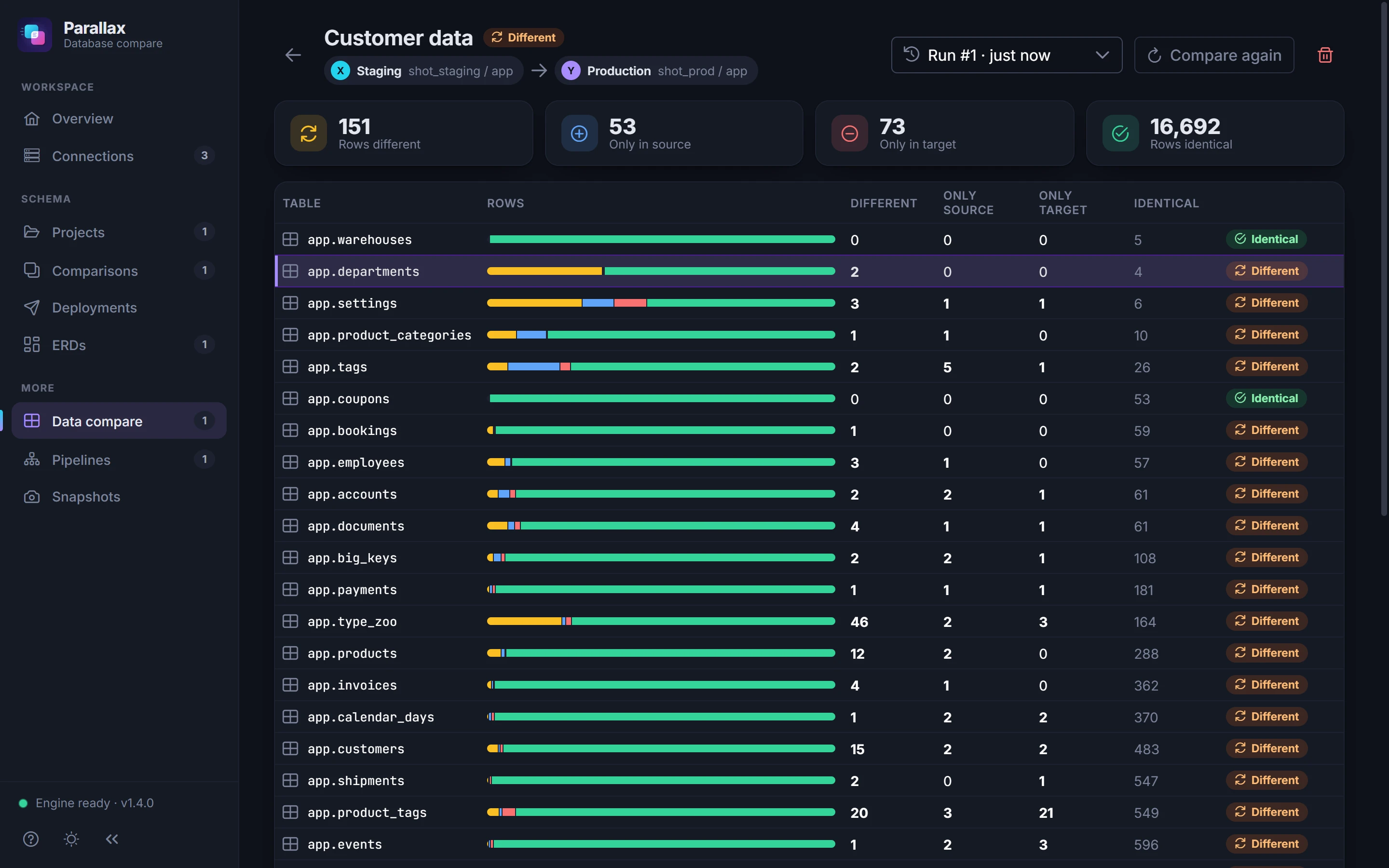
Match tables of other names, map or leave out columns, pick the key that pairs rows, and filter what is compared with a WHERE condition. Show only the columns that differ.
Free for Windows · PostgreSQL · SQL Server · MySQL
Parallax shows every difference in schema and data between two databases, writes the SQL to make one match the other, and checks the target before and after it runs.
Tested against every supported version, on every change
How it works
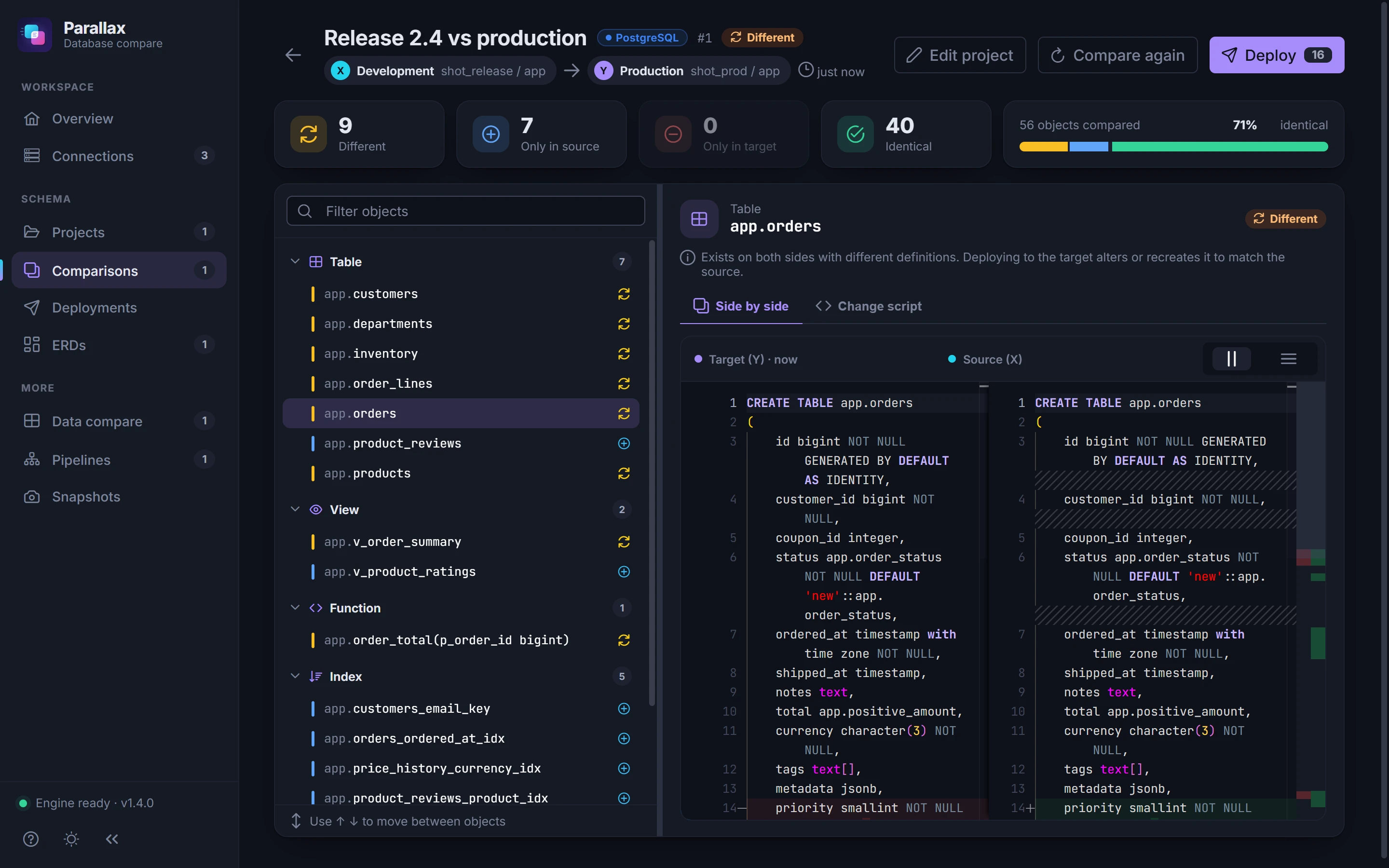
Pick two databases, or one schema in each. Parallax lists every table, view, function, index and the rest that is new, missing or different, with both definitions side by side.
Choose the differences to deploy and review the script. Parallax warns about statements that alter or recreate objects, then runs it, in one transaction where the database allows.
Compare the rows of matching tables, see which are new, missing or changed, and run a script that makes the target match, with foreign keys checked before it commits.
Chain dev, staging and production in a pipeline. Compare every hop in one go, deploy a hop from the pipeline, and the next hop is compared again.
Live demo
A release database against production. Pick an object to see both definitions, open its change script, then press Deploy.
release / appYProduction prod / appExists on both sides with different definitions. Deploying alters or recreates it in the target.
Safe deployments
Writing the script is the easy part. Parallax checks the things that make a deployment fail halfway or quietly do the wrong thing, before any statement runs.
How deployments workBefore it runs, Parallax compares the databases again. If someone changed them since, it shows what changed and offers to compare again first.
On MySQL, Parallax counts the rows that would make a change fail (duplicates under a new unique index, NULLs under NOT NULL) and stops before the first change.
On PostgreSQL and SQL Server the deployment runs in one transaction. If any statement fails, nothing changes.
MySQL can't roll back schema changes, so Parallax rehearses the deployment on a scratch copy of the target's schema before it touches the real one.
When the deployment finishes, Parallax compares the two databases again to confirm the target now matches.
Every comparison and deployment is saved, with the SQL that ran, so you can see what changed and when.
Renames
Rename clients to customers and a comparison sees one table missing and another new. Deploy that, and the rows go with it. In Parallax, mark them as the same object and it renames instead.
Comparison
Keys, indexes, checks and the foreign keys that point at it follow the new name.
Deployment script
DROP TABLE app.clients;

CREATE TABLE app.customers (
  id bigint NOT NULL,
  email varchar(320),
  …
);
ALTER TABLE app.clients
  RENAME TO customers;

ALTER INDEX app.clients_pkey
  RENAME TO customers_pkey;
Pipelines
Chain your databases from dev to production and compare every hop in one go. Deploy a hop from the pipeline: it shows the comparison made after the deployment, and the next hop is compared again, since its source changed.
shop_dev / appshop_staging / appshop_prod / appAnd the rest
Match tables of other names, map or leave out columns, pick the key that pairs rows, and filter what is compared with a WHERE condition. Show only the columns that differ.
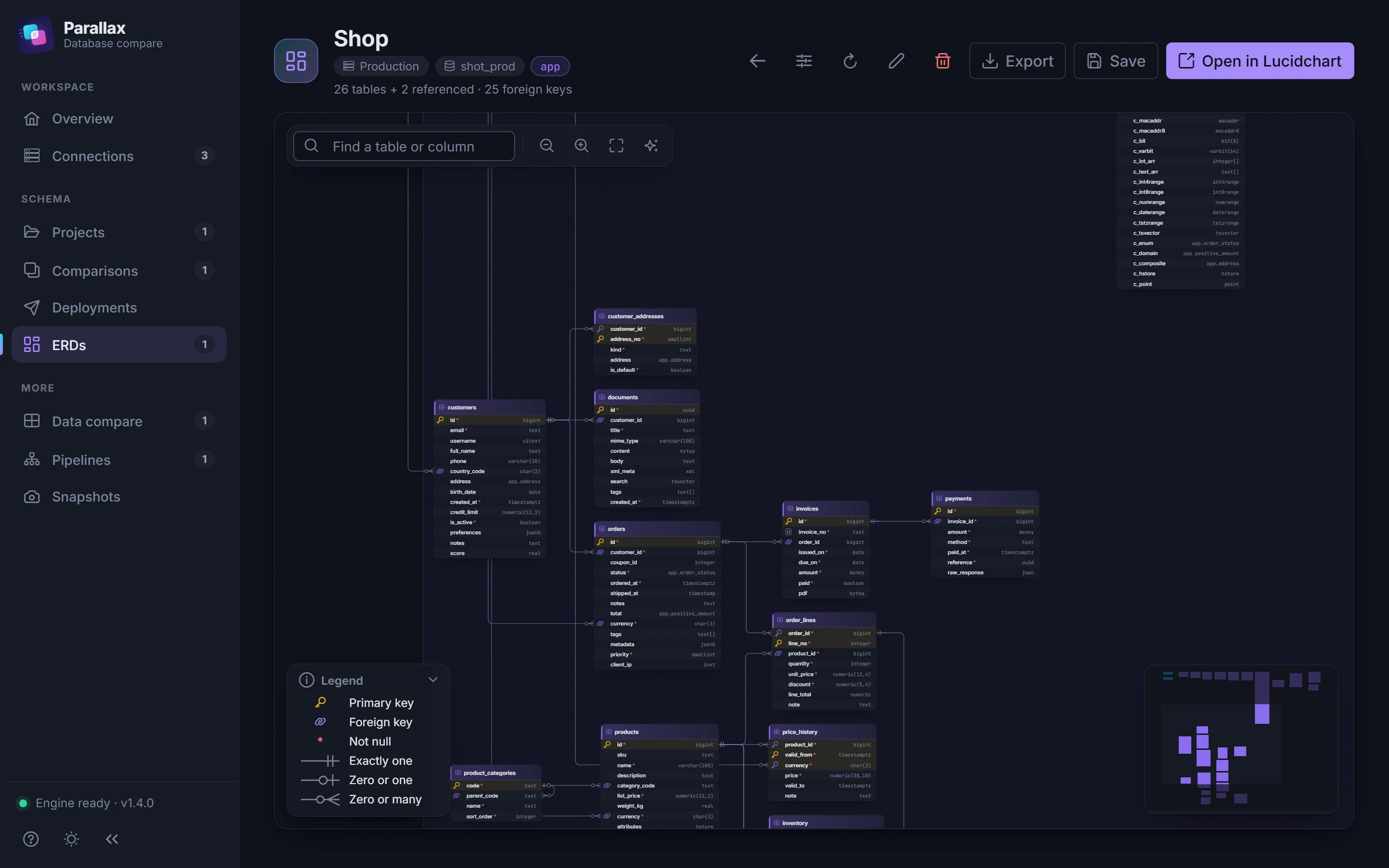
Draw an entity-relationship diagram of any database, arrange it, and export it as an image or to Lucidchart.
Save a copy of a database's schema, to look back at how it was.
Every comparison and deployment is kept, with the SQL each deployment ran, ready to copy.
Verified TLS with your provider's CA bundle. Accounts with fewer rights compare what they can see, and Parallax says which right to grant for the rest.
Parallax runs on your machine and connects straight to your databases. Saved passwords are encrypted for your Windows account.
Yes. Download it from the Microsoft Store and use every feature: schema and data compare, deployments, pipelines, ERDs and snapshots.
PostgreSQL (tested on 13, 16 and 17), SQL Server (2019 and 2022) and MySQL (8.0 and 8.4), including managed hosts like Amazon RDS. Both databases in a comparison use the same engine.
No. Parallax runs on your computer and connects straight to your databases. Your projects and history are kept in a local file, and saved passwords are encrypted for your Windows account.
On PostgreSQL and SQL Server the whole deployment runs in one transaction, so if anything fails nothing changes. MySQL cannot roll back schema changes, so Parallax rehearses the deployment on a scratch copy of the schema and checks the rows first.
Always. You pick the differences to deploy, read the whole script with its warnings, and can add your own SQL to run before and after it. You can also copy the script and run it yourself.
Yes. Parallax compares what the account can see and leaves out the rest on both sides, so nothing shows as a false difference. It tells you what was left out and which right to grant.
Windows 10 and Windows 11, 64-bit.

Free on the Microsoft Store for Windows 10 and 11.